Posts

Use 'appetize.io' to test on tablets and phones

Image
 I use ' appetize.io ' to test my game on simulated tablets and mobile phones. The trial version of 'appetize.io' gives me 30 minutes a month with a 3 minute limit on each session. However, I have just gone over my monthly limit and nothing happened. I use the 'standalone' option where I can get to a simulated browser and run my game.  I came across 'appetize.io' while looking for a way to run mobile apps in a browser.  But the app uses the Microsoft Authenticator app and this means I would have to setup the shared keys each time. There are more tips at:  bbingo.xyz/techtips/

Delay starting no-op service-worker

Image
 I decided to delay my no-op PWA service worker rathen than remove it. Chrome give a console warning if the service worker fetch listener of a Progressive Web App (PWA) does nothing. Chrome wants you to remove these no-op (no operation) service workers to avoid the time taken to start the listeners.   But Chrome only recognises the PWA if it has a service worker. Chrome puts an icon in the top right to let you install the PWA. I delay starting my service worker with a 'setTimeout' of 3 seconds on the page 'load' event.  You do not notice the delay in the PWA icon appearing. I also delay all my animations. This also means that Google's search, Chrome's Lighthouse and Webaim's Wave accessibility checker do not see the bad color contrast choices of my animations. There are more tips at:  bbingo.xyz/techtips/

Using ESLint instead of JSHint

Image
 I have switched from using JSHint to ESLint to find mistakes in my code. ESLint points out where a variable is assigned a value but the variable is not used.  For parameters to functions, I try to remember to also change where the function is called.  Sometimes these changes cascade up through parent function calls. ESLint can process the 10 megabytes of JavaScript in my game. ESLint can do this on an old Windows7 computer with not much memory. I use the online ESLint at 'eslint.org/play'. I read about ESLint in an article in 'Smashing' magazine. There are more tips at:  bbingo.xyz/techtips/

Style tag in 'noscript' tag

Image
 I added a 'style' tag inside my 'noscript' tag to hide the 'loading' animations when JavaScript is disabled. I got the idea from an answer on 'stackoverflow':   ' stackoverflow.com/questions/121203/how-to-detect-if-javascript-is-disabled ' There are more tips at:  bbingo.xyz/techtips/
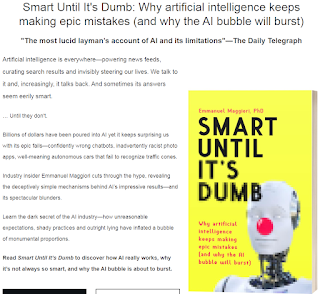
AI book - Smart until it's dumb

Image
 I read a good book on AI: ' Smart until it's dumb ' by Emmanuel Maggiori. The author shares his stories of working on AI in business and academic research. The author says the power of AI is often exaggerated and the author predicts a mild AI winter. The author's biggest fear is that AI will be used for safety-critical tasks like self-driving cars where machine-learning can make silly mistakes. I borrowed the book from a public library  There are more tips at:  bbingo.xyz/techtips/

calc in translate

Image
 Chrome will not let me use 'calc' in 'translate', like:      transform: translate3d(0,calc(-100vh-10em),0) But Chrome allows the equivalent:     transform: translate3d(0,-100vh,0) translate3d(0,-10em,0) There is an answer about this on 'stackoverflow.com' at:       'stackoverflow.com/questions/21469350/not-possible-to-use-css-calc-with-transformtranslatex-in-ie' I am using an old version of Chrome on Windows7 dating from the start of 2023. There are more tips at:  bbingo.xyz/techtips/

Animating checkboxes and radio button

Image
 I make my checkboxes and radio buttons rotate when they are clicked. If the checkbox is clicked ('active') then the checkbox is immediately rotated 180 degrees.  When the click is over, then the checkbox slowly rotates back to its original position.     input[type="checkbox"] {         transition: transform 1s;         display: inline-block;     }     input[type="checkbox"]:active {         transform: rotate3d(0,0,1,180deg);         transition: 0s;     } This is on 'codepen' at:  codepen.io/Bert-Beckwith/pen/OJrYLLN There are more tips at:  bbingo.xyz/techtips/